
Industry
Networking
Challenge
After each recorded conversation, the team had to perform several repetitive tasks.
Results
The system periodically detects new conversations and checks whether they have already been registered. It then identifies the correct contact and record owner, saves the meeting information in the CRM, and creates a link to the source transcript.
Key Product
Analiza spotkań AI
Automated Conversation Analysis Using AI
For a company handling a large volume of business conversations, we created a system that combines meeting transcripts, artificial intelligence, document storage, and HubSpot CRM into one consistent process.
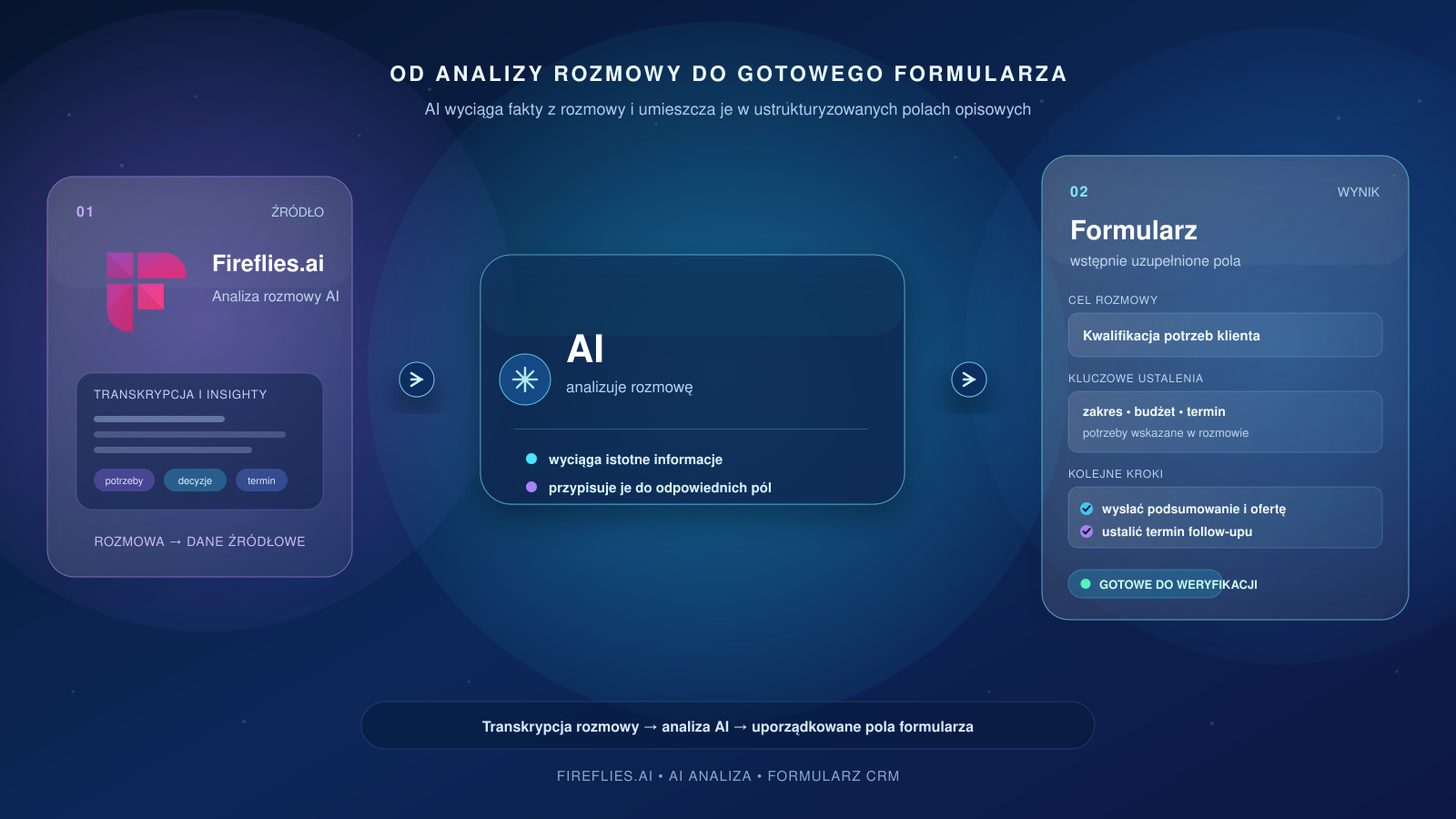
The solution automatically registers analyzed conversations in the CRM, allows the user to select the correct meeting, and then uses AI to prepare structured data and pre-fill a form.
Instead of manually reviewing transcripts and re-entering information, the team receives ready-to-use material for quick verification.
Challenge
After each conversation, the team had to perform several repetitive tasks:
- find the recording or transcript,
- assign the conversation to the correct contact,
- analyze its content using a different prompt depending on the type of meeting,
- extract the most important information,
- transfer the data to the appropriate form,
- save the results in the CRM.
The process was time-consuming and required constant switching between different tools. As the number of meetings increased, so did the risk of missing a conversation, creating a duplicate, or assigning information to the wrong record.
Solution
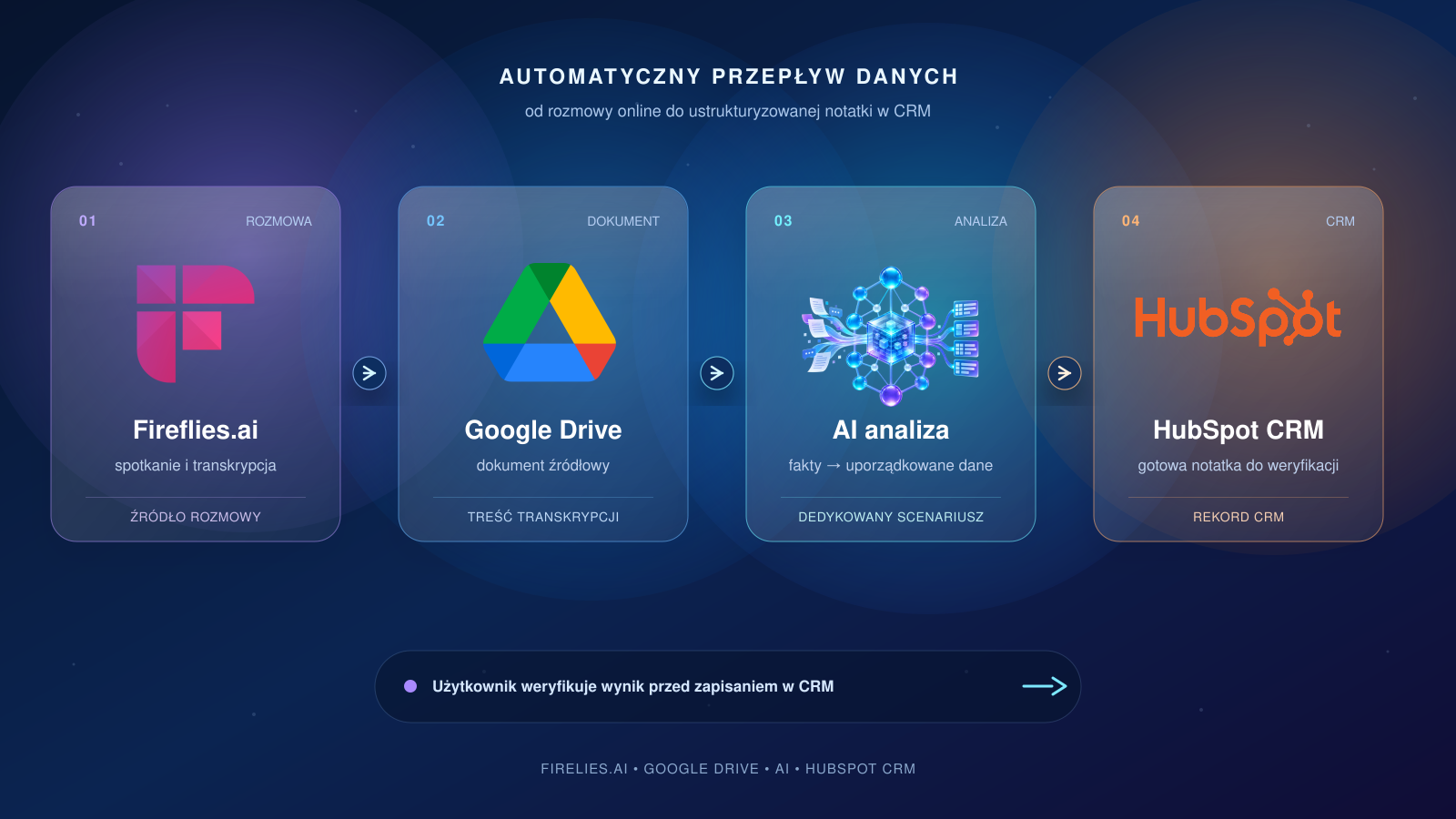
We designed an automated data flow connecting Fireflies.ai, Google Drive, HubSpot, and an AI model.
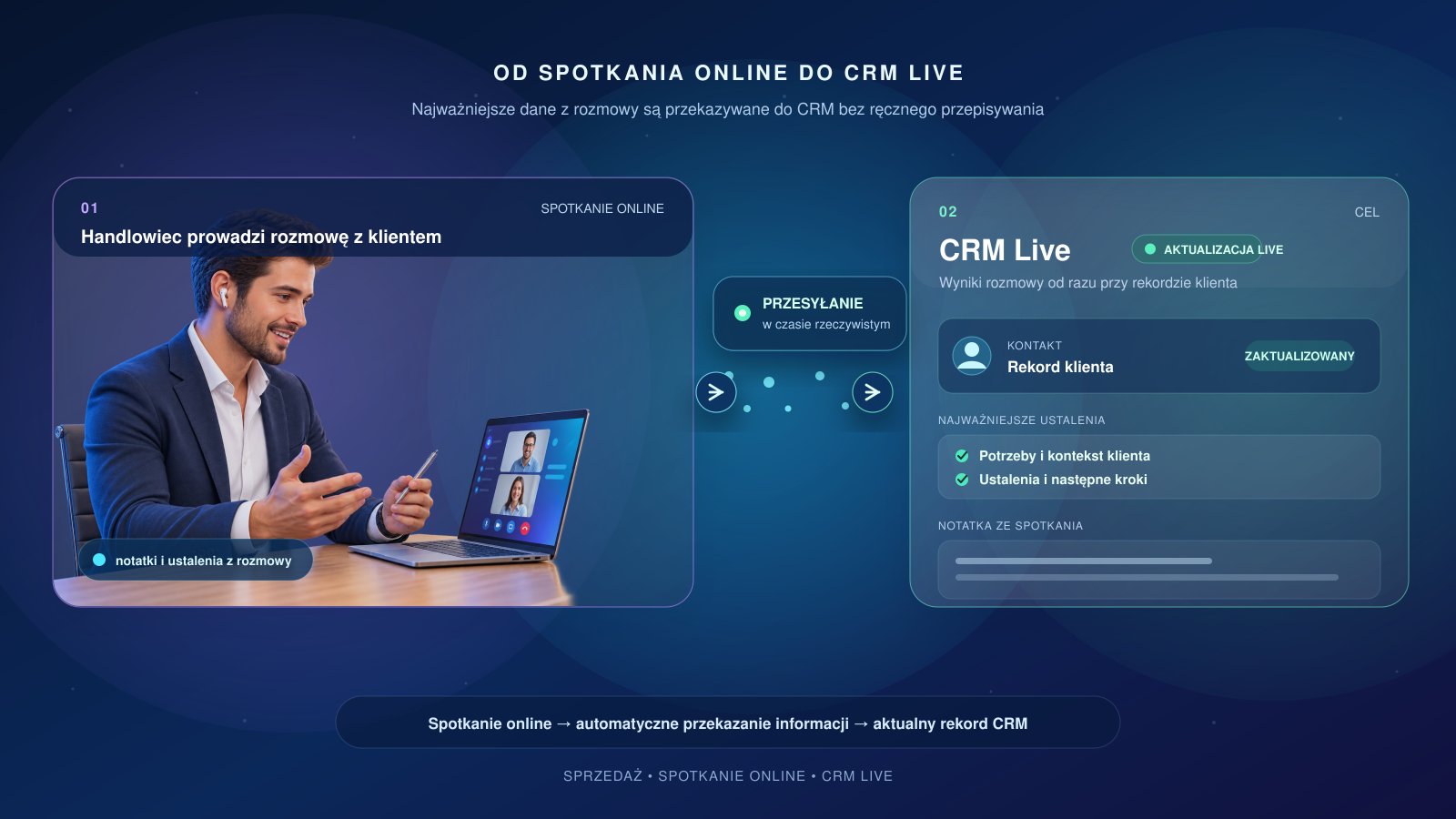
The system periodically detects new conversations and checks whether they have already been registered. It then identifies the correct contact and record owner, saves the meeting information in the CRM, and creates a link to the source transcript.
Directly from HubSpot, the user can view conversations assigned to a specific contact and select the one they want to analyze.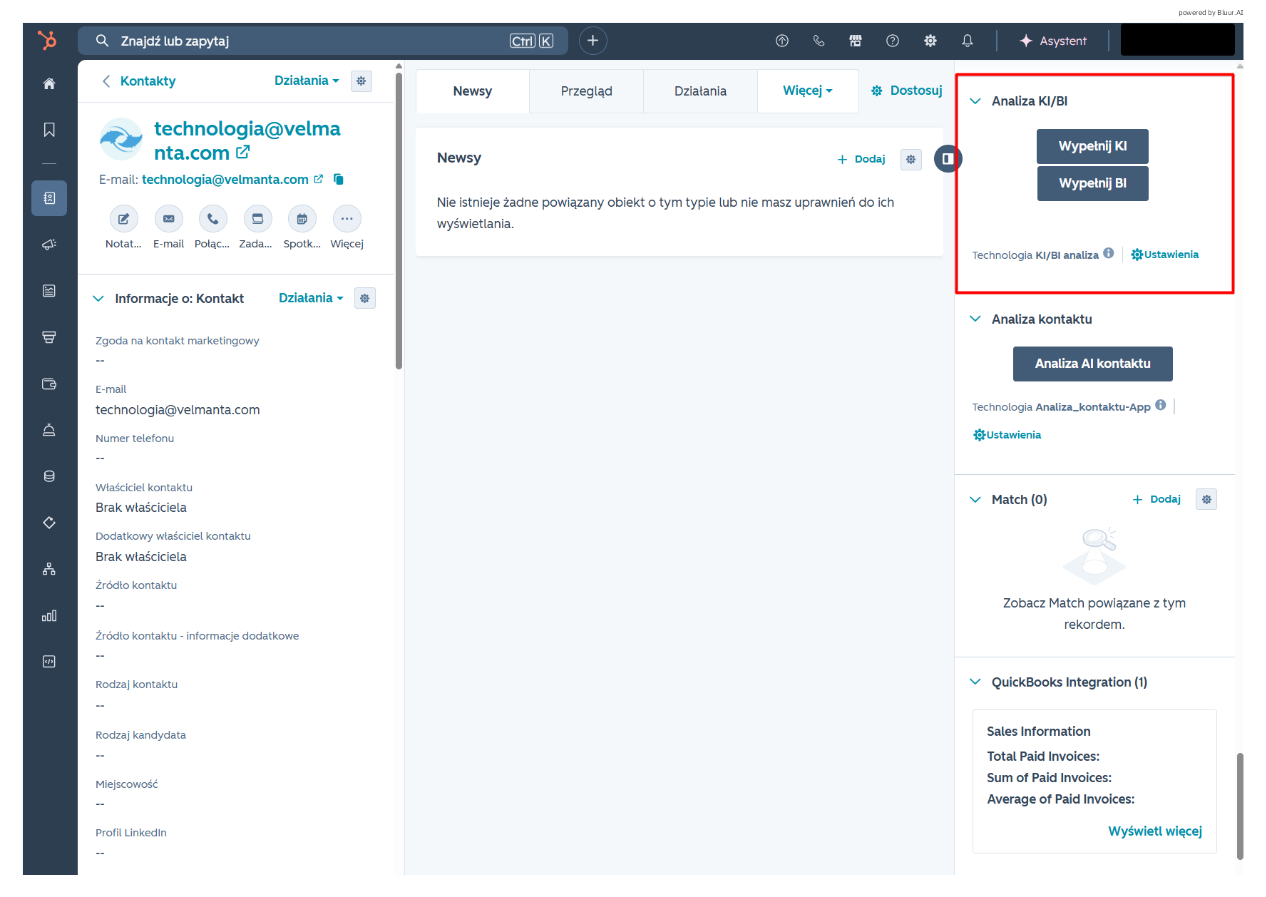
Once the analysis is launched, the system:
- verifies that the selected conversation belongs to the correct contact,
- retrieves the transcript document from Google Drive,
- reads and organizes its content,
- sends the material to the AI model,
- converts the conversation into structured data,
- opens a form with automatically prepared content.
The user remains in control of the process - they can review the results before approving them. The generated content is placed in a form that the user must additionally complete with information required by the company’s internal process.
AI That Works with Facts
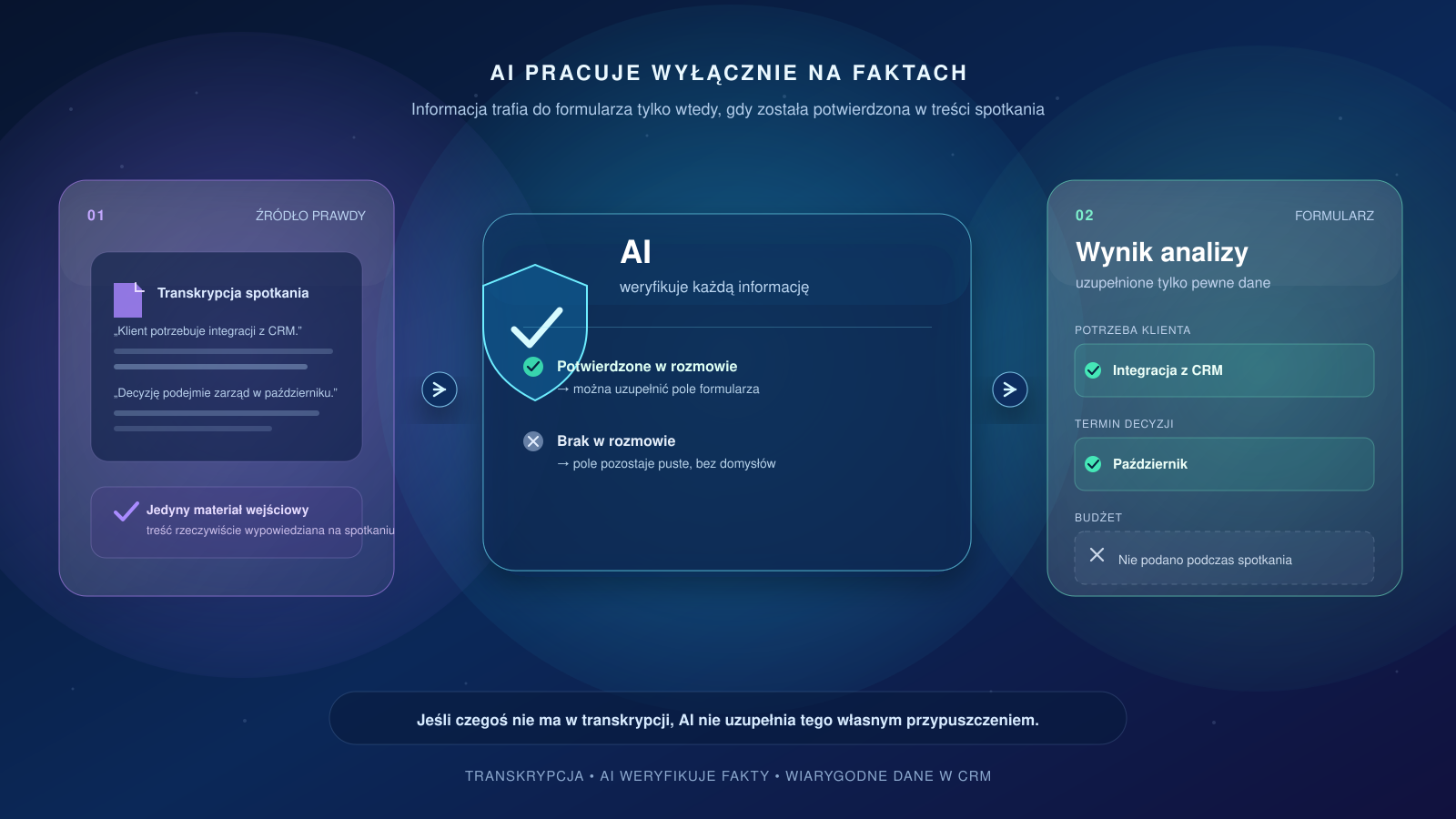
The model was configured to use only the information contained in the transcript.
If the conversation does not contain sufficient data, the system does not fill in the gaps with its own assumptions. This ensures that the analysis remains based on the actual content of the meeting, while allowing the user to easily identify elements that require additional verification.
Responses are generated in a consistent business format, regardless of the length of the conversation or the way the meeting was conducted.
Why Didn’t We Use an Off-the-Shelf Integration Available Directly in HubSpot?
The HubSpot Marketplace offers many ready-made integrations with tools for recording and analyzing meetings, such as Fireflies.
Many of these integrations support basic business processes, but they are insufficient for more complex scenarios.
1. The key requirement was to keep the entire process within the tool the team uses every day. “Without leaving HubSpot”
That is why we created a dedicated panel in HubSpot that allows users to:
- retrieve conversations associated with a contact,
- select the correct version of the meeting,
- launch the AI analysis,
- open a pre-filled form,
- maintain the connection between the contact, conversation, and analysis result.
The team does not need to search through folders or manually transfer data between applications.
2. Security and Quality Control
We implemented additional control mechanisms within the process:
- detecting and skipping duplicates,
- verifying the connection between a conversation and a contact,
- automatically identifying the record owner,
- validating identifiers,
- limiting the analysis to the content of the source document,
- handling missing files and incomplete data,
- logging operations and errors,
- leaving the final decision to the user.
Automation speeds up the work, but it does not take control away from the team over the information entered into the CRM.
3. What Makes This Solution Different from a Standard Integration - Summary
The native Fireflies integration with HubSpot works well for standard transfers of notes, summaries, tasks, and meeting data to the CRM.
In this implementation, however, Fireflies is only one component of a much broader process. The system identifies the conversation category based on meeting labels stored in HubSpot and then automatically selects the appropriate analysis scenario and a dedicated AI prompt.
As a result, each meeting is analyzed according to the rules, context, and expected outcome appropriate for its purpose, rather than using one universal summary.
The solution also identifies the correct record and its owner, checks duplicates and associations, supports custom objects, and allows the user to select a specific conversation directly in HubSpot.
It then retrieves the source document from Google Drive and prepares a dedicated verification form. This is therefore not an off-the-shelf connector that simply synchronizes data, but a complete process application that connects several systems and reflects the organization’s individual way of working.
Implementation Results
We created a consistent process that takes a conversation from completion to ready-to-use, structured data.
The solution:
- reduces manual transcript review,
- eliminates repeated entry of the same information,
- standardizes the way conversations are documented,
- reduces the risk of errors and omissions,
- enables faster CRM updates,
- ensures a consistent standard of analysis,
- supports a growing number of meetings without a proportional increase in operational workload.
The team can spend more time working with clients and making decisions instead of carrying out repetitive administrative tasks.
Technologies Used
- HubSpot CRM and UI Extensions
- Fireflies.ai
- Google Drive
- AI language models
- Python and React
- automated workflows and APIs
Automation Tailored to the Existing Process
We did not replace the tools the team was already familiar with. We connected them into one process and added an AI layer where it could deliver the greatest value.
Standardizing notes and summaries is an important part of the process in large organizations. By using HubSpot forms with precisely structured meeting outcomes, the team knows exactly where to find key information.
The solution became a natural part of everyday work - available directly in the CRM and tailored to the way the organization operates.
Want to Automatically Turn Conversations into Structured Data?
At Velmanta, we design AI automations that connect conversations, documents, forms, and CRM systems. We build solutions tailored to existing processes, enabling teams to work faster without implementing yet another disconnected tool.
Let’s talk about a process we can automate in your company